When UX Meets UI…🎨
According to a study by the NN Group, both modal and non-modal pop-ups shouldn’t be intrusive!
🚫 Users really dislike unexpected pop-ups, many even leave a website immediately after encountering one.The key is to give users the choice: let them know in advance that a pop-up is coming.
Ensure that the pop-up has a logical purpose, aligns seamlessly with your overall UX, and, of course, looks great aesthetically.
🎨Thanks for reading.
.png)
When UX Meets UI…🎨
Does the heart icon mean Like, Save... or Add to Favorites?
Icons are not always universal or clear.
According to NN Group, users often hesitate when they see a heart icon.
- Is it saving the item somewhere?
- Is it just a quick and simple like?
- Will it go into a favorites list?
👉 Best practice → Add a tooltip or a small label to make it clear.
Avoiding the guesswork, helping users !
Thank you for reading.
.png)
Where UX Meets UI 🎯
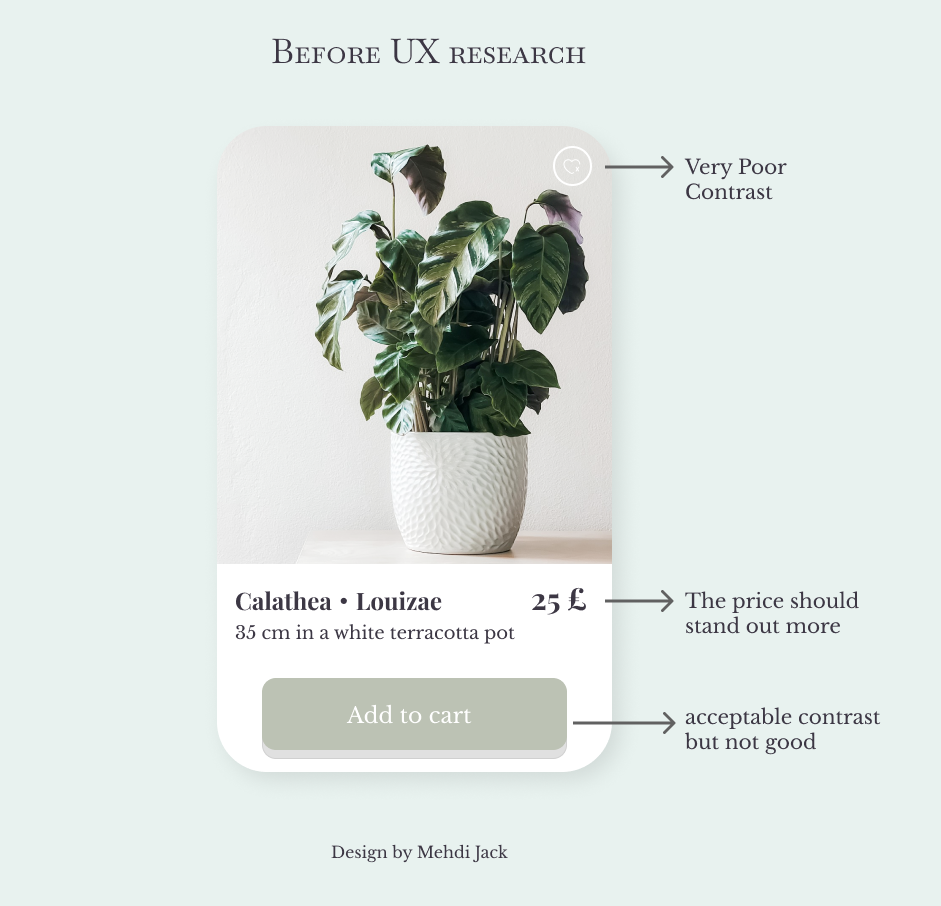
After finishing the design, I shifted my focus to UX research to improve my card item.
🔍I started by checking the contrast between the background and the text to boost accessibility.
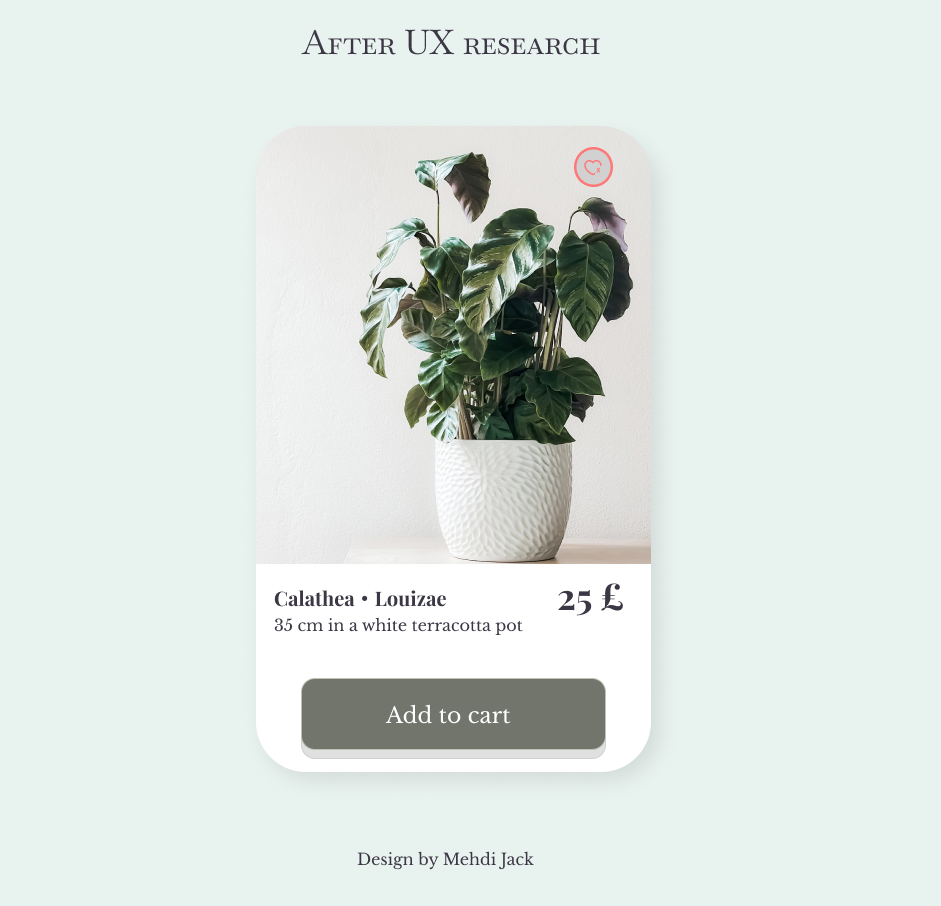
I noticed the initial contrast was slightly low, I might not get it as much, but users with low vision could immediately feel uncomfortable.
I finally found a color that perfectly matches the design with good contrast, where UX meets UI ✅🎨
🎨 UX/UI Design Insight:
The Timeless Power of Backblur.
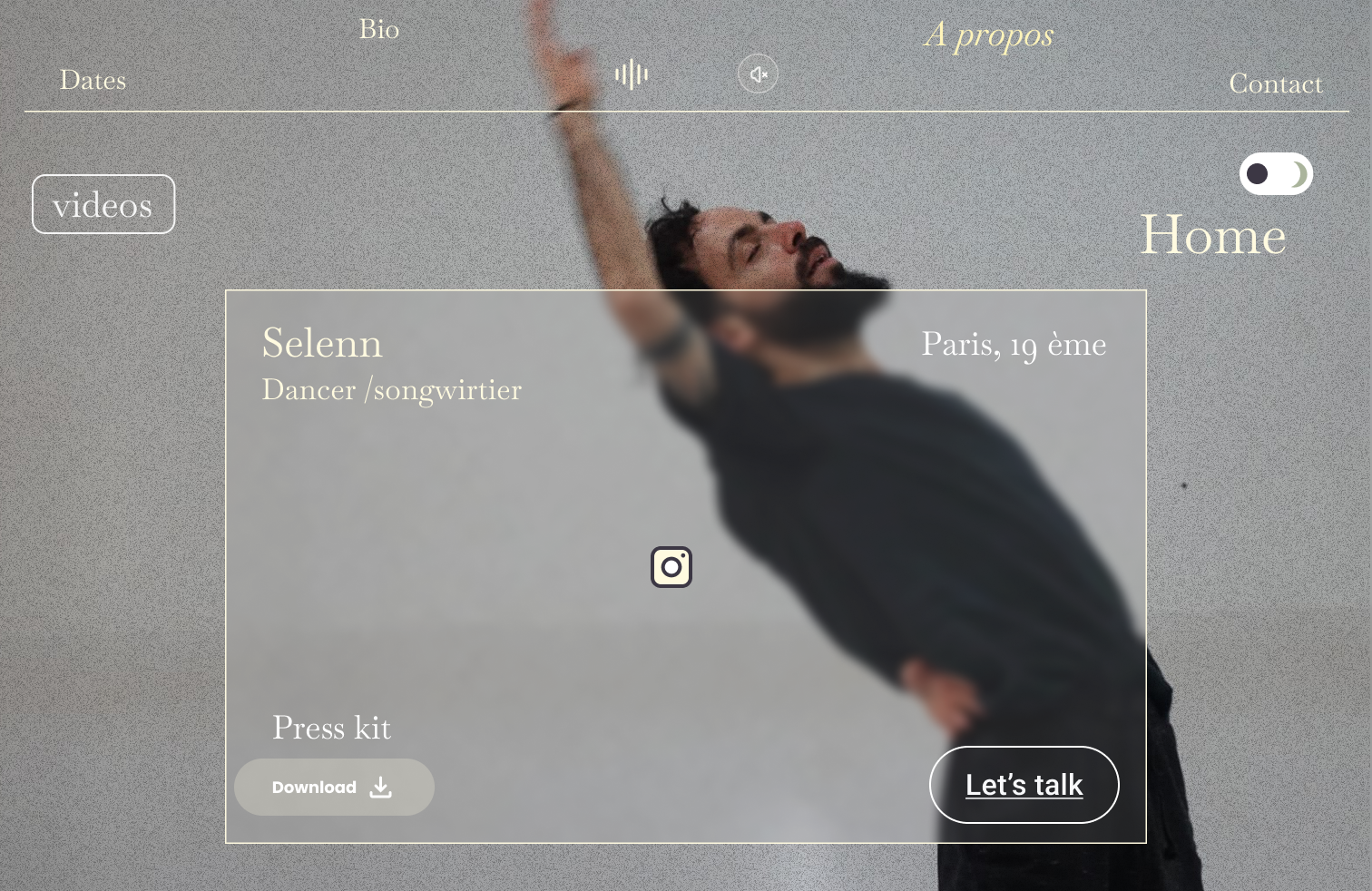
For years, backblur has remained a design technique that has transcended trends and established itself as a staple in the world of interface design.
🔍 Why does it work?
Enhanced Readability:
Backblur helps to highlight key information while preserving visual hierarchy.
Modern Aesthetics:
This technique gives interfaces a sleek and elegant appearance, often associated with clean and sophisticated designs.
User Focus:
By blurring the background, attention is immediately directed to the essential elements, creating a smoother and more intuitive user experience.